Direct Certification CALPADS File

Last updated: Apr 29, 2026
354
views

1. Log into CALPADS
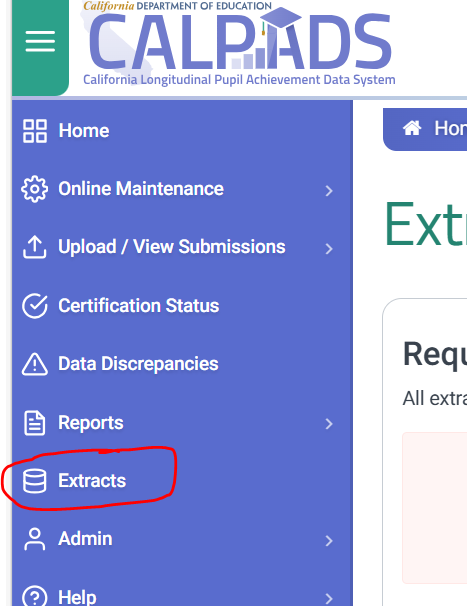
2. Click the Extracts link on the left-side menu
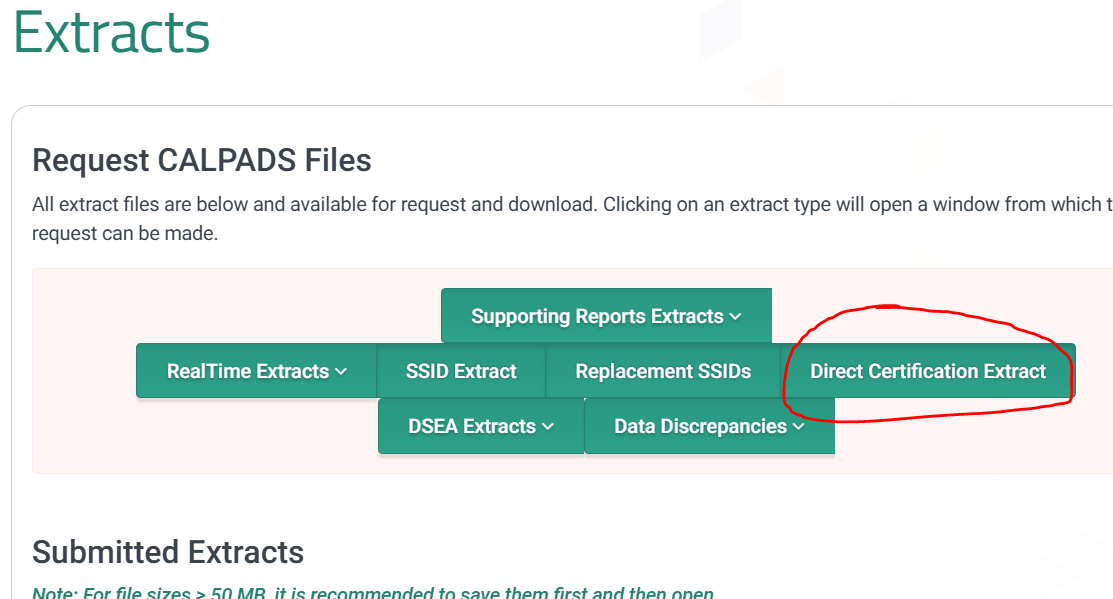
3. Click the Direct Certification Extract button
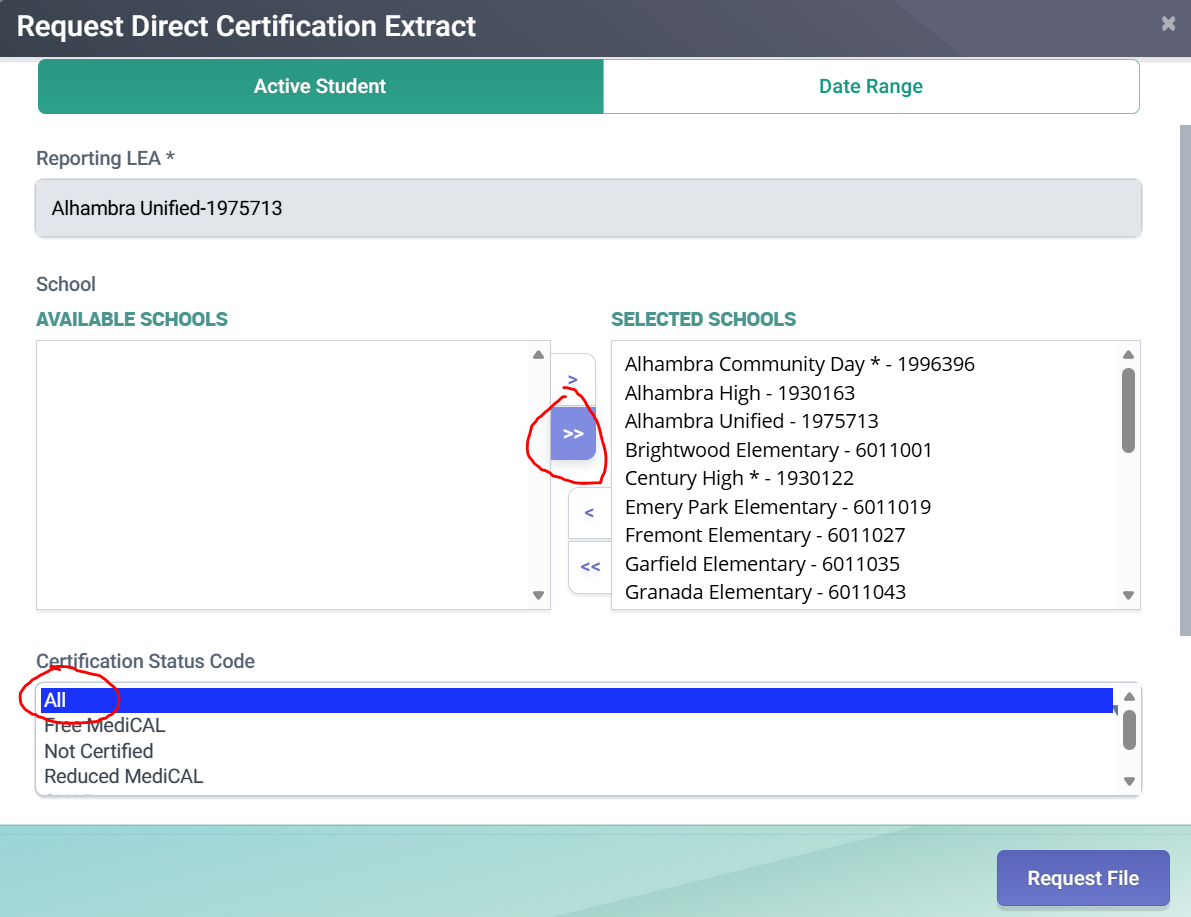
4. Move all Available Schools into the Selected Schools box, and make sure All is selected as the Certification Status Code
5. Click the Request File button
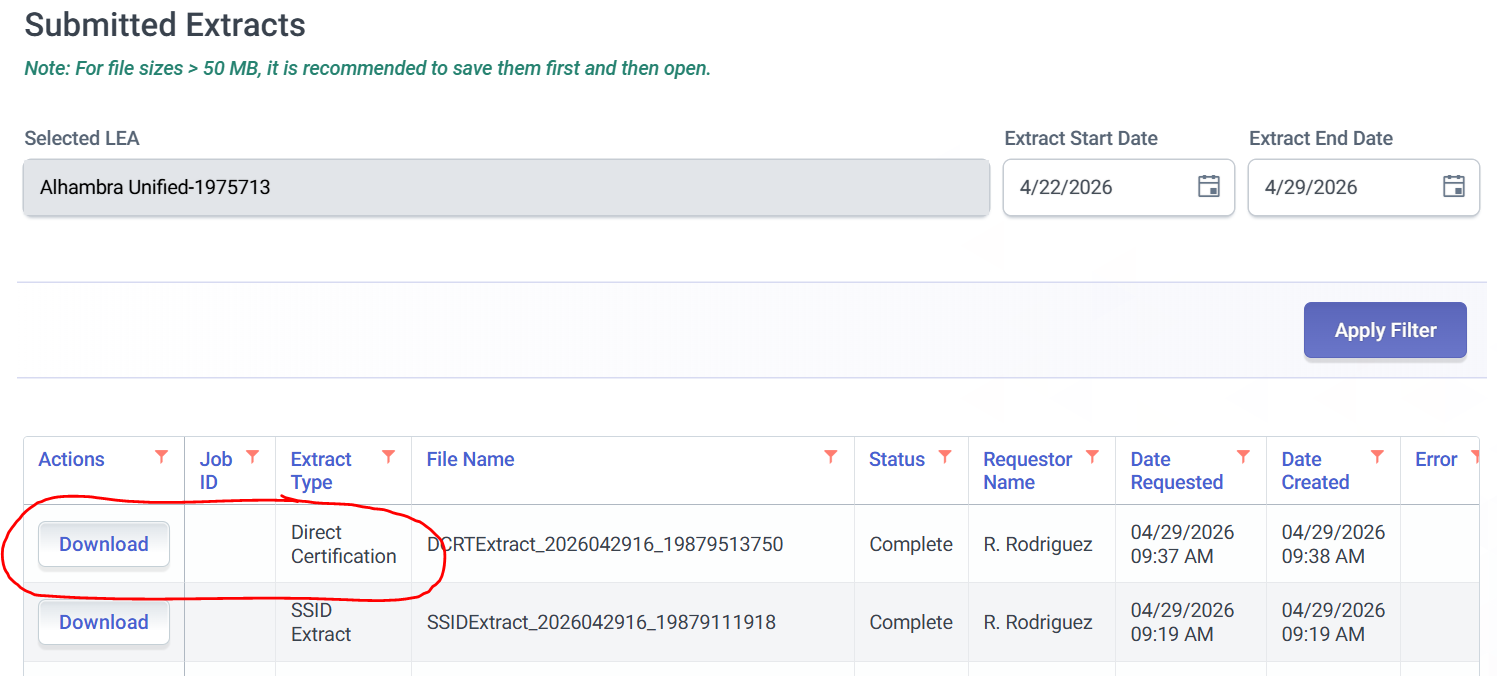
6. The extract file will be listed in the Submitted Extracts list
7. Click Download when available.