You are using an unsupported browser. Please update your browser to the latest version on or before July 31, 2020.
close
You are viewing the article in preview mode. It is not live at the moment.
Home > Powerschool > State Testing > View State Student Score Report (Admin)
View State Student Score Report (Admin)
print icon

1. Go to the Student record in Powerschool

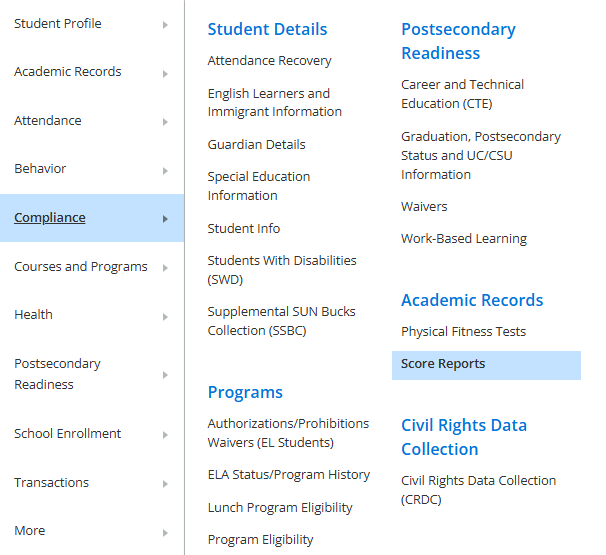
2. Within the Compliance tab on the left-side menu, click Score Reports   
 

3. Select the Assessment and School Year to search 
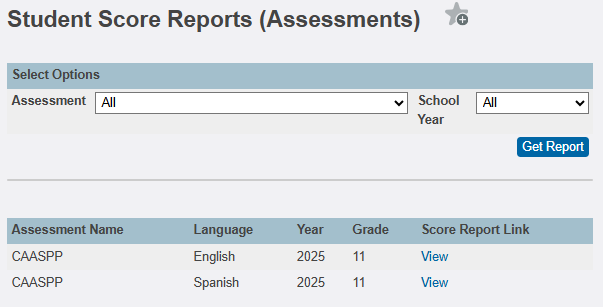


4. Click Get Report


5. Any available score reports are listed, click the View link to open


Feedback
0 out of 0 found this helpful

scroll to top icon