


View State Student Score Report (Admin)
Last updated: Sep 09, 2026
208
views

1. Go to the Student record in Powerschool
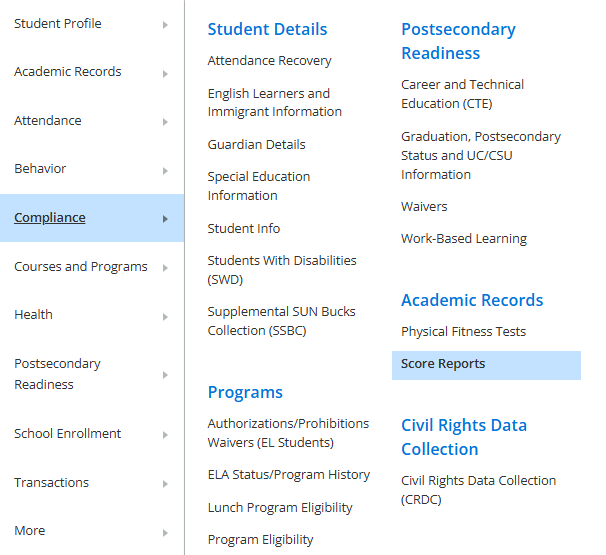
2. Within the Compliance tab on the left-side menu, click Score Reports
3. Select the Assessment to ALL and School Year to ALL to search
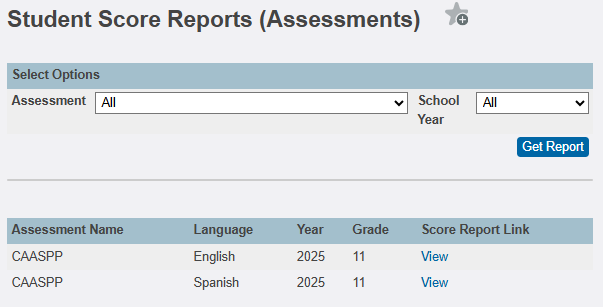
4. Click Get Report
5. Any available score reports are listed, click the View link to open

