


Fee Alert Report

Jun 02, 2026
 13
13
The following steps will help in putting together a list of all students with a fee alert.
1. Enter this into the search box where you normally search for students: U_AUSD.alert_fee#
2. Select Custom Student List from the bottom-right dropdown menu
3. Click the Basic button along the top next to the template dropdown
4. Enter U_AUSD.alert_fee into the first available Field Name
5. Enter a title into the box next to it such as ALERT FEE
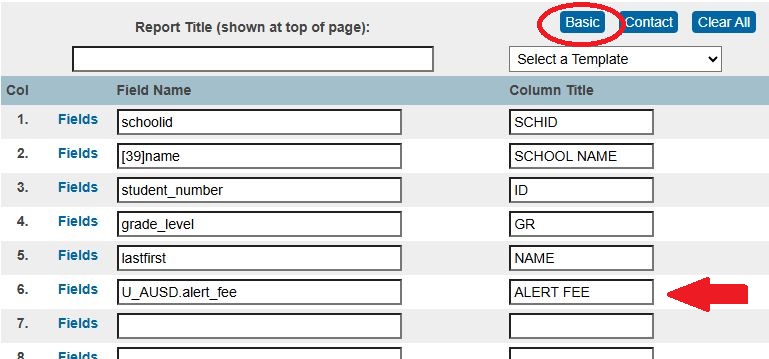
6. Click the Submit button
The list can be copied and pasted into Excel

