Sharing information with Paradigm, Armed Forces, CCGI, Colleges

Last updated: Jun 03, 2026
130
views

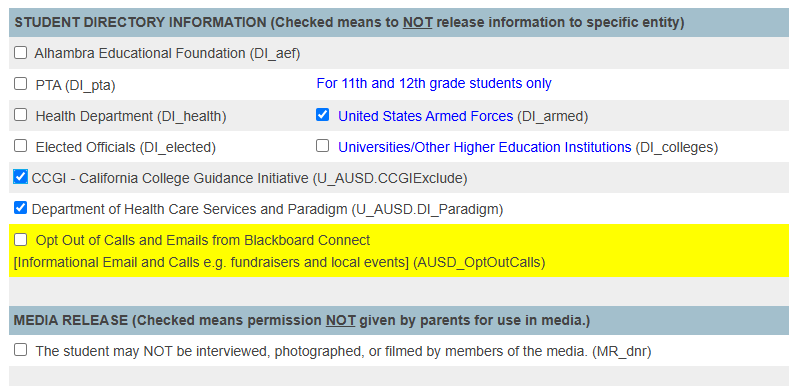
The following instructions will help in seeting the information shared with various departments and entities
1. Go to the student record
2. Click More on the left-side menu
3. Select Directory Information
4. Check the box to NOT RELEASE information to the listed entity
In this example, information will NOT be shared with Paradigm, Armed Forces, and CCGI