Creating a Caseload Course in PowerSchool
Purpose
A caseload course is a course/section used to assign a large group of students to a designated 9th-period class or caseload. Instead of students individually requesting or being scheduled into the course, students are enrolled based on a predetermined student list.
Caseload courses are commonly used when nearly every student in the school needs to be assigned to a specific 9th-period section, program, advisor, intervention, or other schoolwide assignment.
Before You Begin
Before creating the caseload course, have the following information available:
- Teacher or staff member responsible for the caseload
- Term and school in which the course will be offered
- Student list to be enrolled
- Any enrollment exclusions, such as students who should not be assigned to the caseload
Part 1: Create the Caseload Section
After the course exists, create a section for the appropriate term.
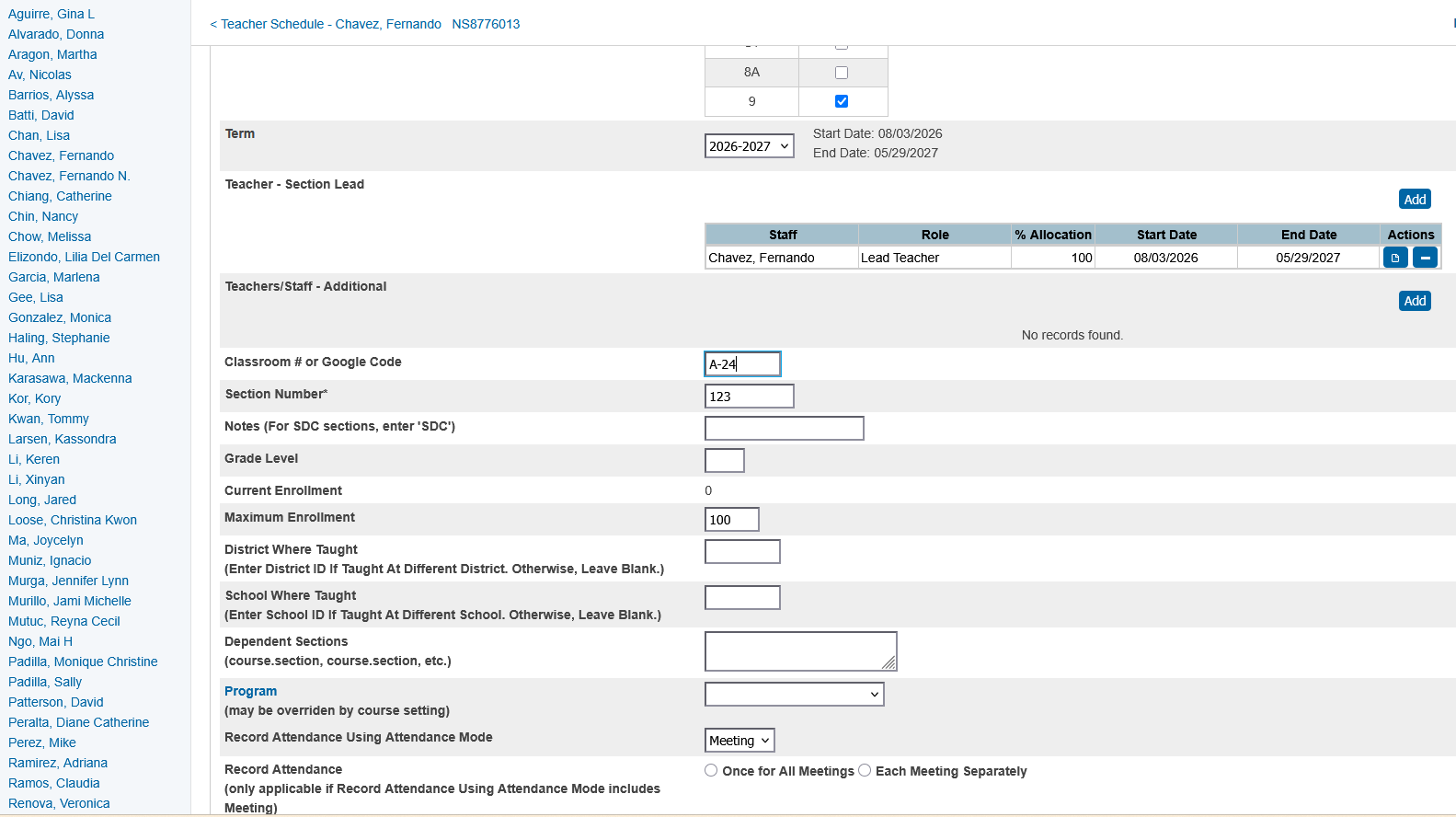
- Navigate to the Staff > Teacher Schedules page for the school.
- Select the staff/teacher you would like to create a caseload for on the left panel
- Above their schedule table click New. This will open the section creation page.
- Create a new section for the caseload course by finding the course WM62A.
- Enter the appropriate:
- Course (WM62A)
- Teacher
- Period ( Expression 9 )
- Term
- Maximum enrollment
- Make sure to set the section Expression to 9.
- Make sure to set max enrollment to a high number. Usually up to the amount of requested students.
- Attendance not necessary
- Section number and room are optional values
- Verify that the section is associated with the correct course and term.
- Save the section.
Example
| Setting | Example |
|---|---|
| Course | 5TH GRADE CASELOAD |
| Course Number | WM62A |
| Section | 01 |
| Teacher | Assigned Counselor/Advisor |
| Period | 9 |
| Term | 2026-2027 |
| Room | Counseling Office |
| Students | Assigned from caseload list |
Part 2: Enroll the Students
The next step is to determine which students should be enrolled.
A caseload list may contain a very large percentage of the school's students.
For example:
School enrollment: 1,200 students
Caseload students: 1,150 students
The list should ideally contain the students' PowerSchool Student IDs rather than relying only on names.
Recommended fields include:
Once the section and student list are ready, enroll the students into the section.
There are several possible methods depending on the PowerSchool configuration.
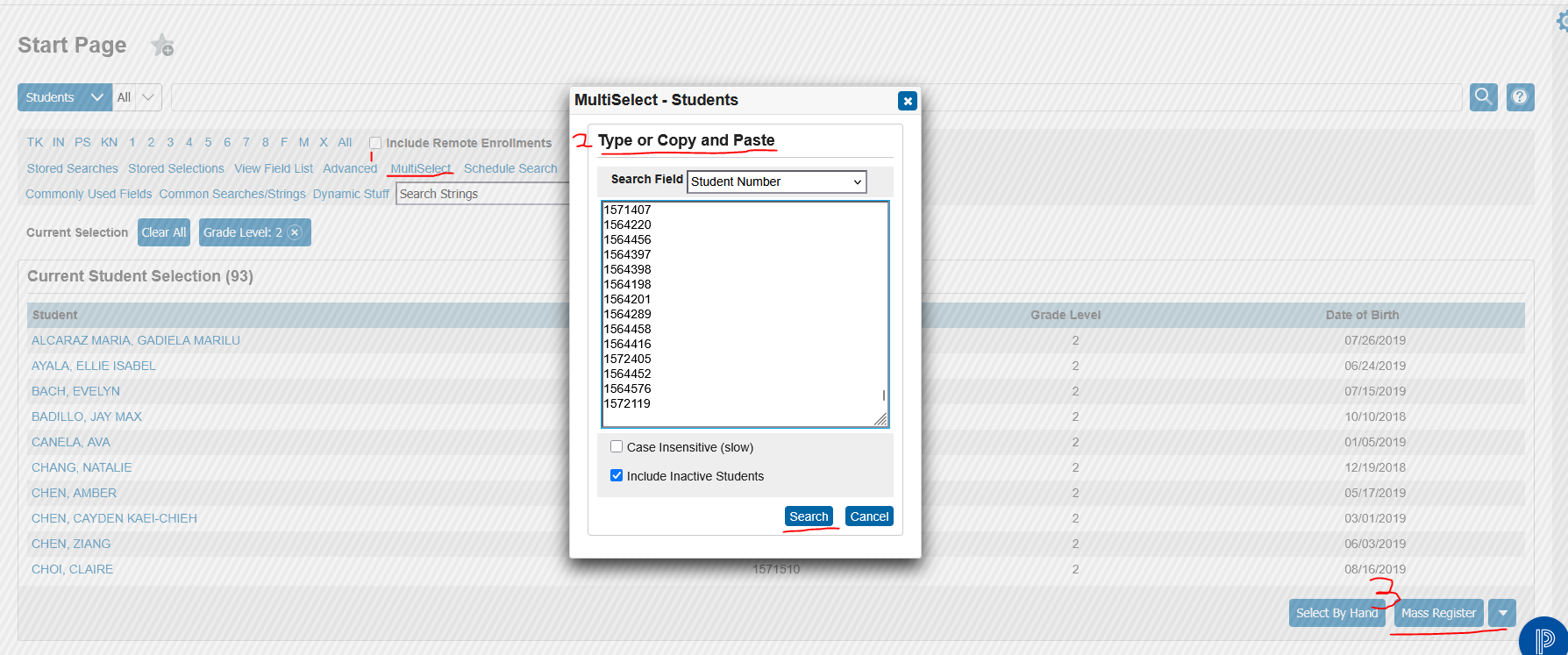
- Copy the Student ID numbers from your source. Most likely an excel spreadsheet.
- Click Mutliselect on the start page
- Paste the copied student ID numbers
- Press submit and your student selection will load
- Once you have you student selection. Navigate to the bottom right of the table and click Mass Register.
- In this new page you will select the staff/teacher with the new caseload course
- you will see a preview of the student roster
- Click enroll students and the students will be added to the caseload
Image Examples: