


What Are EL, AR-LTEL, and LTEL?
California divides English Learners into three categories to track how long students take to learn English, identify struggling students early, and provide targeted support before they fall behind.
The Three Categories Explained
English Learner (EL)
- Who they are: Students whose primary language is not English and who are new or recently enrolled in U.S. schools (typically 0 to 5 years, depending on grade level).
- Goal: These students receive standard English Language Development (ELD) instruction to build fluency and eventually be reclassified as Fluent English Proficient (RFEP).
English Learner At-Risk of Becoming a Long-Term English Learner (AR-LTEL)
- Who they are: A subset of English Learners in grades 3 through 12 who have been in U.S. schools for 4 to 5 years, still score at an intermediate level or below on the English Language Proficiency Assessments for California (ELPAC), and have not met grade-level standards in English Language Arts (ELA).
- Goal: This status acts as a warning flag. It alerts teachers and schools that a student is on track to take longer than the typical 5-to-7-year window to become fluent, so the school can step in with early interventions.
Long-Term English Learner (LTEL)
- Who they are: Students in upper elementary or secondary grades who have been in U.S. schools for six or more years, have not achieved English language proficiency, and remain classified as English Learners.
- Goal: Recognizing LTELs as a distinct reporting and support group (mandated by California laws such as AB 2193 and SB 141) requires middle and high schools to provide specialized classes, credit recovery, and targeted literacy support instead of repeating beginner-level ESL courses.
Why the Distinction Matters
Most students acquire conversational and academic English within 5 to 7 years. When students remain in EL status year after year, their risk of dropping out or struggling academically increases significantly. Separating them into EL, AR-LTEL, and LTEL lets the California Department of Education measure school performance and direct resources to the right students at the right time.
Update to MBA Alert Creator
The MBA Alert Creator type names for the three EL levels have been updated for better clarification:
| Old Name | New Name |
|---|---|
| English Learner | English Learner (EL) |
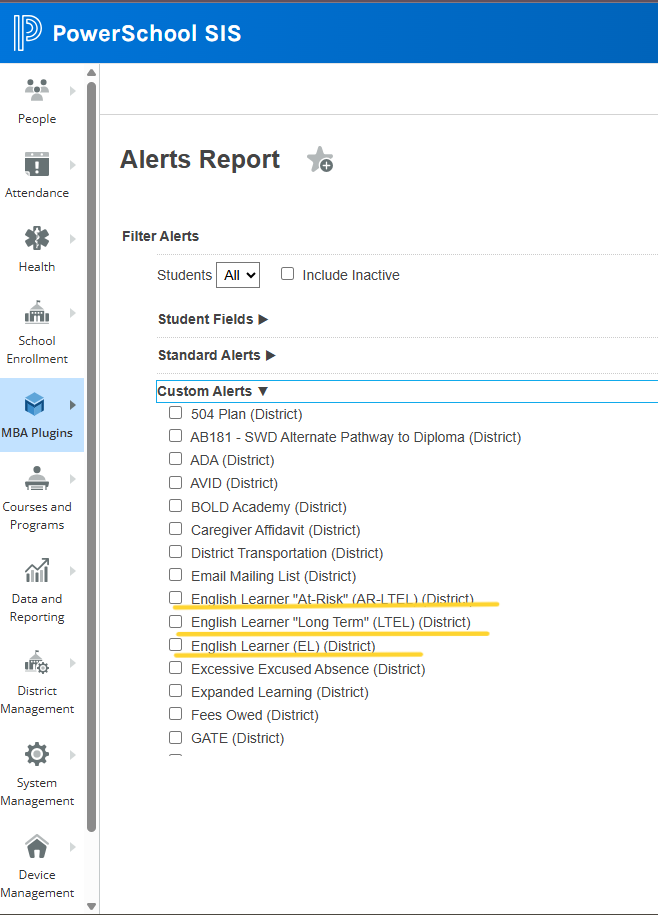
| At-Risk LTEL | English Learner "At-Risk" (AR-LTEL) |
| LTEL | English Learner "Long Term" (LTEL) |
How to Generate a List of EL Students
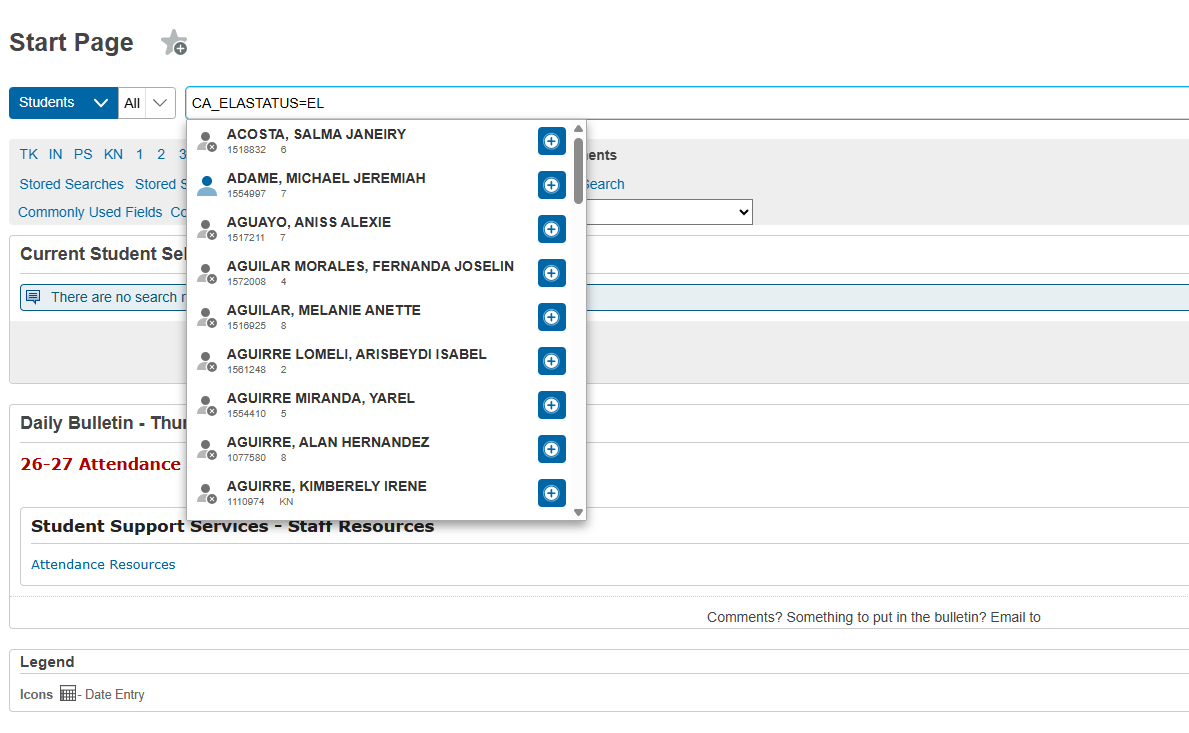
Option 1: Search string
- Go to the main page of PowerSchool
- Type
CA_ELASTATUS=ELand press Enter. - All students currently tagged as English Learners will be selected. This includes all EL levels (EL, AR-LTEL, and LTEL).
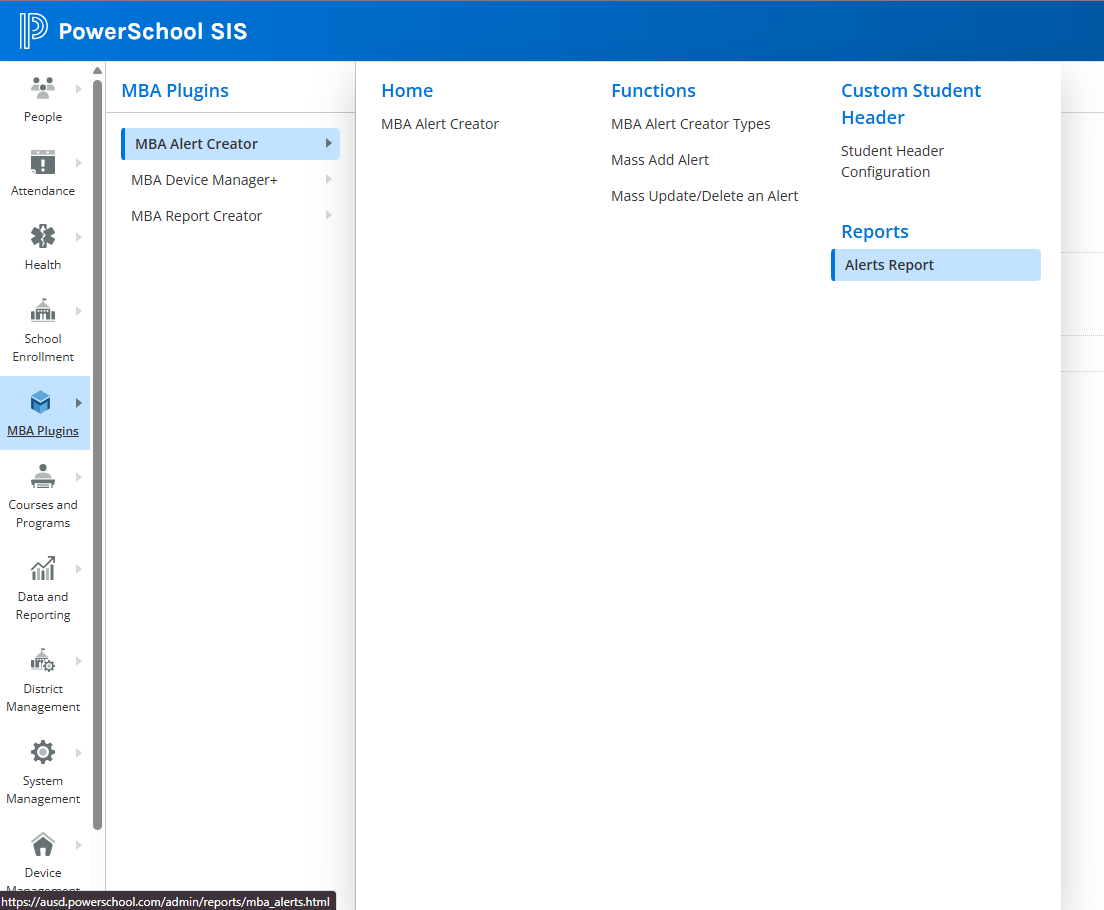
Option 2: MBA Alert Creator
- Go to MBA Plugins → MBA Alert Creator → Alerts Report.
- Under the Custom Alerts category, select the EL level you want to search for.
- With the filter selected, scroll down and click on Export or Make Current Selection to select targeted students in PowerSchool.
EL Program Resources

