PowerSchool Seating Chart Problem

Last updated: Aug 25, 2025
680
views

Experiencing issue with dragging student picture icon to the bottom of the seating chart screen?
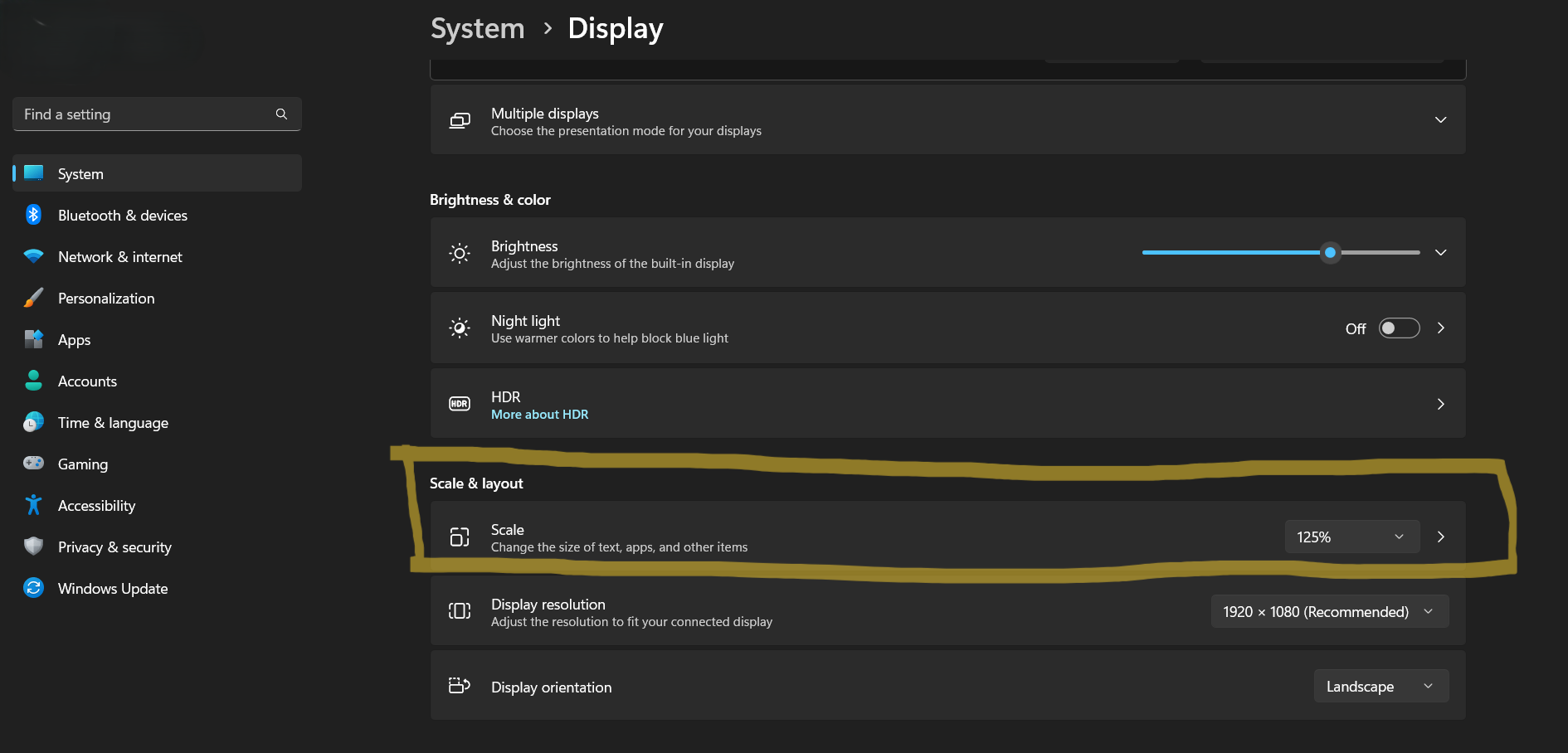
Windows for some reason recommended user to set up their display scarle to 150% for some reason.
And that caused the screen to be Zoomed in more than it used, thus teachers are experiencing issue with dragging student
below a certain point.
To address this issue, please adjust your Windows Display scale on your laptop / desktop down to at least 125% or 100%.
On your computer, Go to Setting --> System --> Display --> Under Scale & Layout look for Scale, adjust it down to 100% or 125%.